Using WSL in Antigravity
No plugins needed. No plugins needed. No plugins needed. Important things are worth repeating three times.
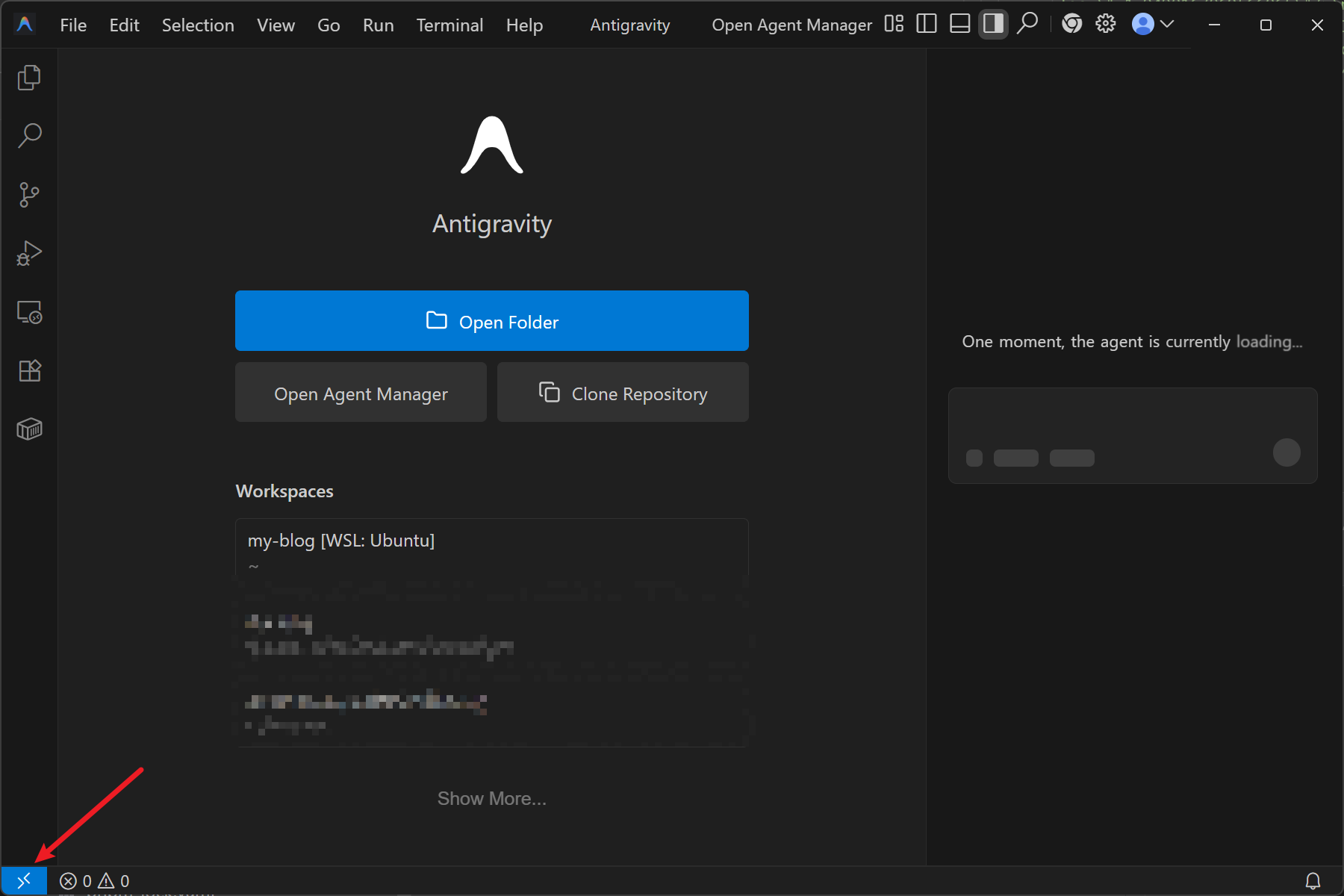
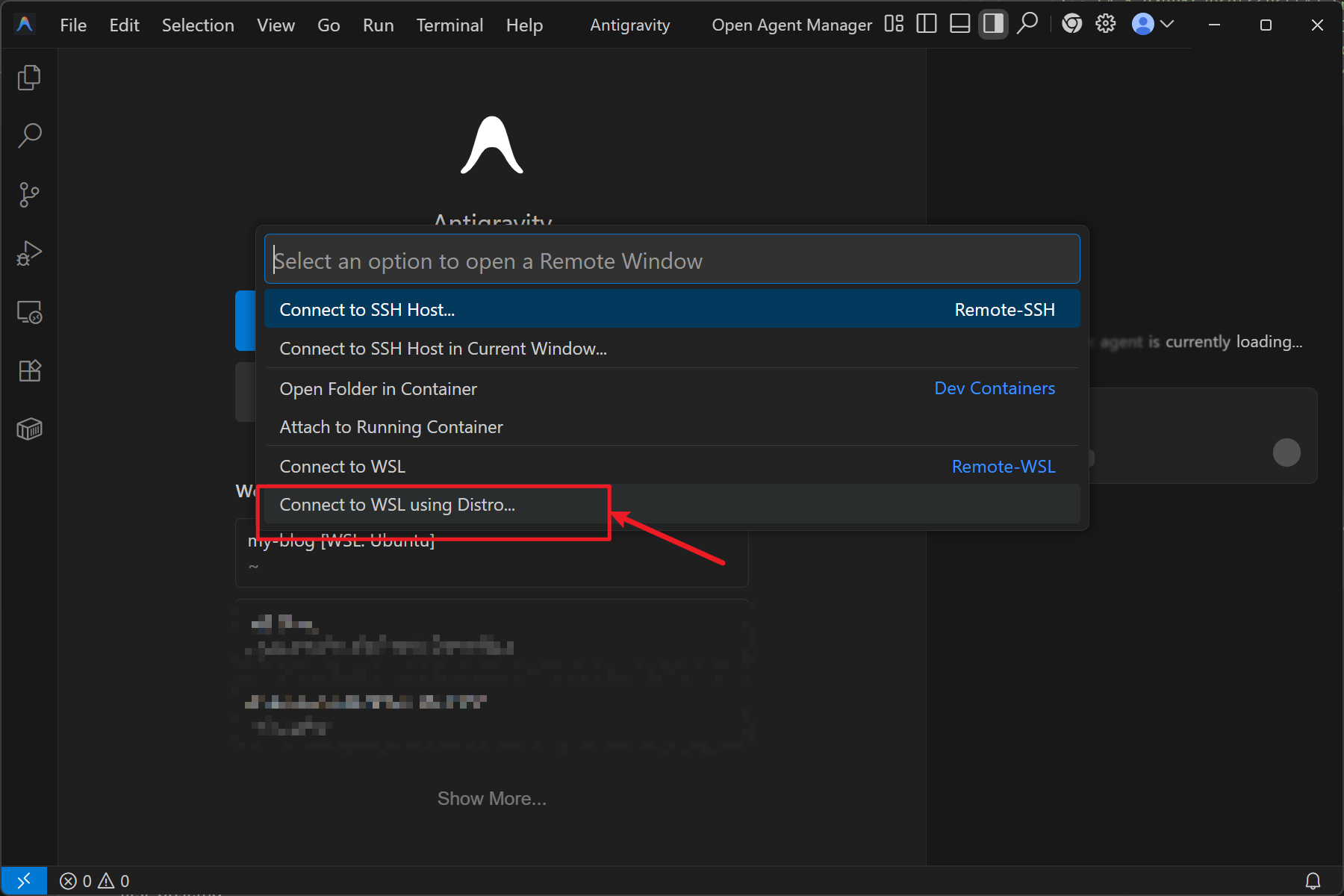
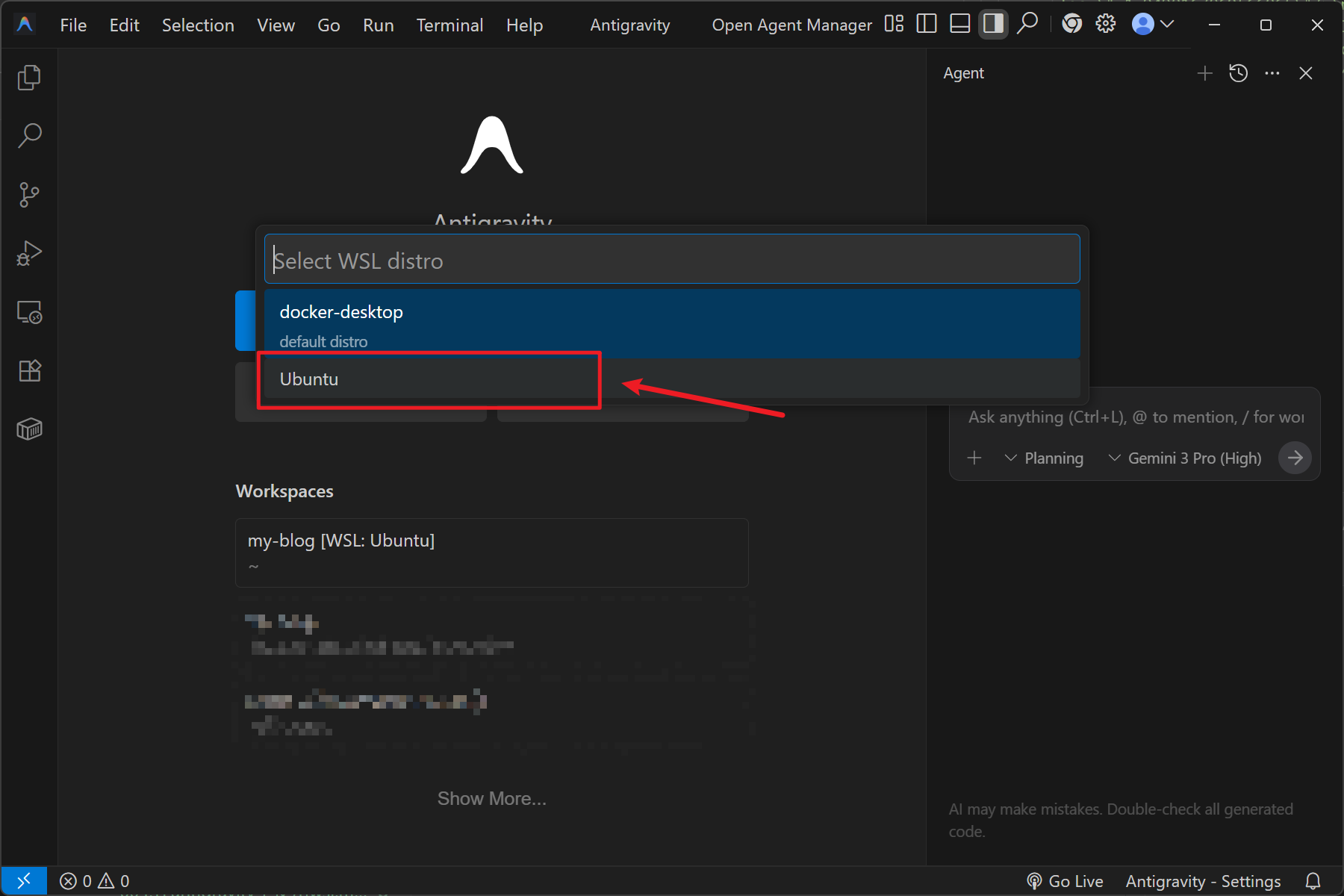
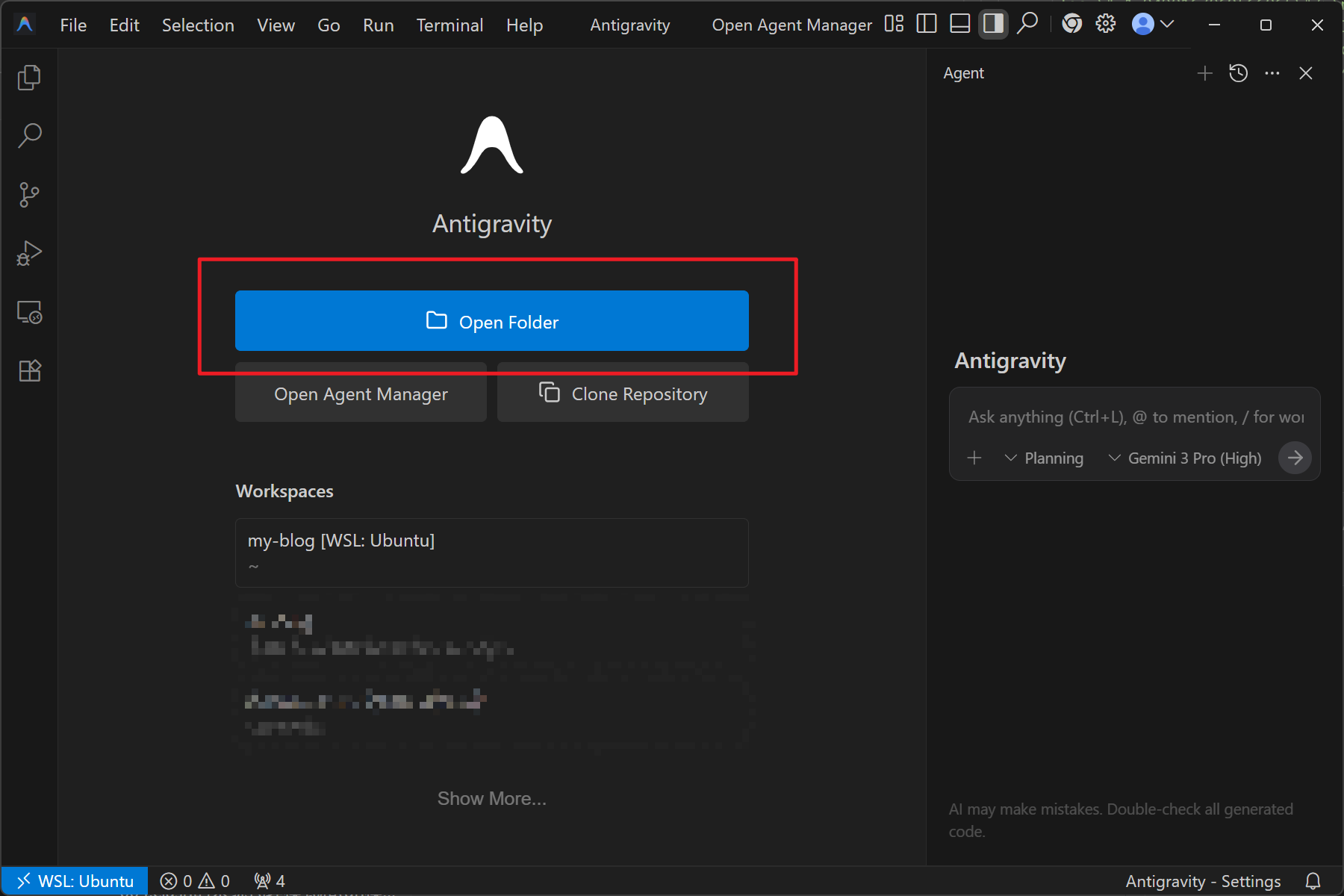
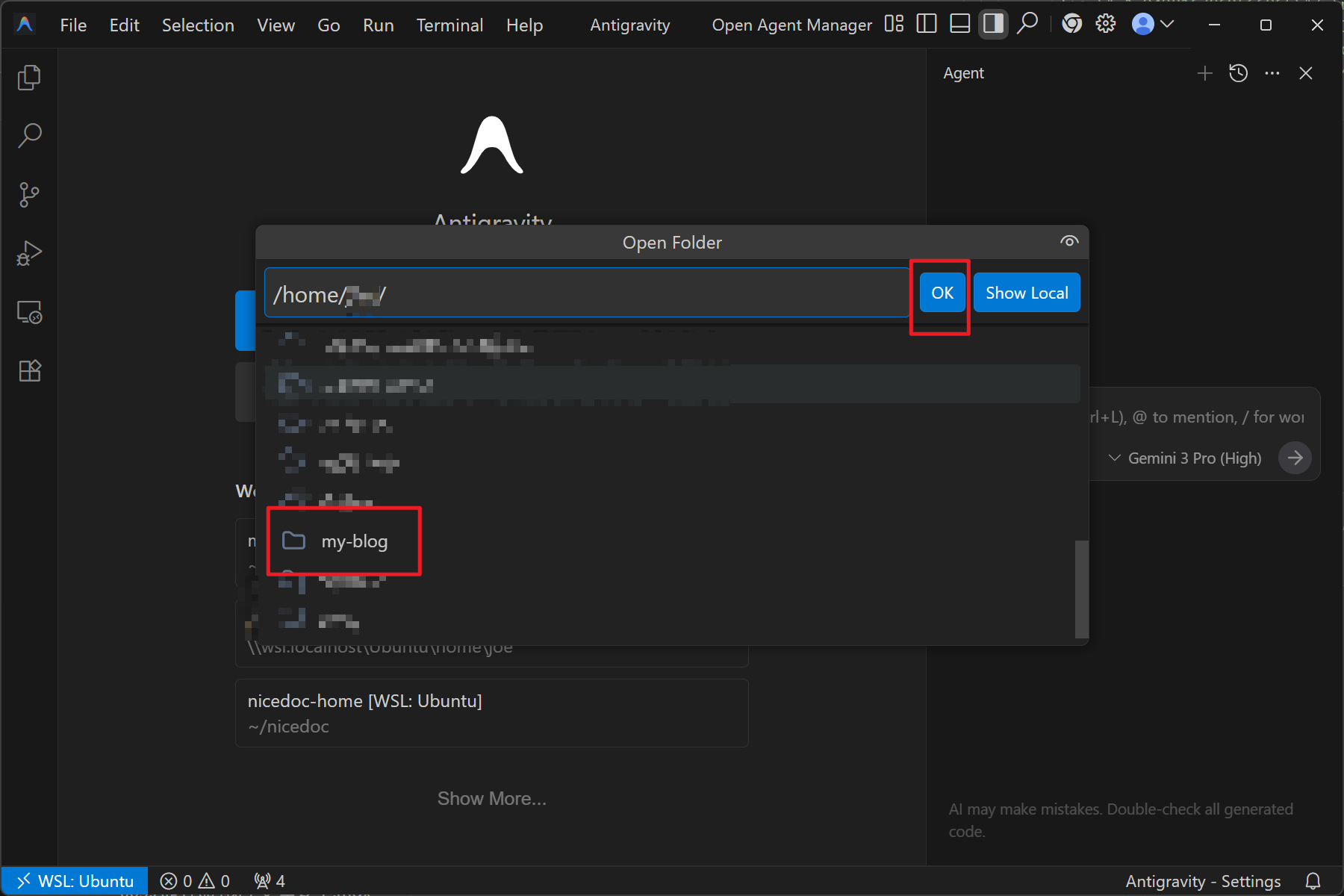
Just follow the steps below to use WSL directly in Antigravity.
No plugins needed. No plugins needed. No plugins needed. Important things are worth repeating three times.
Just follow the steps below to use WSL directly in Antigravity.